

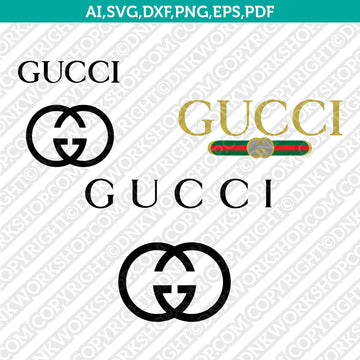
The Gucci Logo SVG Cut File from DNKWorkshop is a meticulously crafted digital design that offers elegance and precision for crafters using Cricut, Silhouette, or other vector-friendly software. Available in SVG, DXF, EPS, PDF, transparent PNG (300 dpi), and AI formats, this file gives you full flexibility to resize, recolor, and adapt the design as needed. Because it’s a digital download, you can access it immediately after purchase and start working on your projects without delay. :contentReference[oaicite:0]{index=0}
Why This Matters
Brand-inspired designs like the iconic Gucci logo carry a sense of luxury and recognition that can elevate even simple craft projects. Rather than relying on poor-quality images or generic versions, having a clean vector file ensures your cut design maintains sharpness and detail at any size. It’s especially useful for those who want a refined, professional finish—whether that means a custom decal, refined piece of apparel, or a sophisticated home decor item.
How It Works
After purchase, you’ll receive a ZIP file containing a full suite of formats: SVG, DXF, EPS, PDF, high-resolution PNG, and AI. If you’re working in Cricut Design Space, you can import the SVG file directly. For Silhouette Studio, the DXF is recommended for users on the Basic Edition, while more advanced versions can also use SVG. You simply unzip the files, choose the format that best suits your machine or software, and upload to start customizing. :contentReference[oaicite:1]{index=1}
Who Will Love It
This SVG cut file is perfect for crafters, small business owners, and designers who admire iconic fashion branding. If you enjoy adding a luxurious touch to your products—like vinyl decals, custom T-shirts, mugs, or framed prints—this design gives you professional-level detail without needing to draw it yourself. It’s especially appealing to those who appreciate minimalism paired with high fashion.
Tips for the Best Results
For optimal use, work with the SVG or EPS formats when editing so you retain vector clarity. In Cricut Design Space, upload the SVG and ungroup any layers if you want to adjust colors or individual components. For Silhouette Studio, import the DXF if you’re using the Basic Edition, or SVG if your software supports it. Use a fine blade in your cutting machine and set your cut pressure carefully to preserve detail. When applying the design to vinyl, use transfer tape to maintain clean edges and weed with precision.
Final Thoughts
The Gucci Logo SVG Cut File from DNKWorkshop provides a high-quality, versatile asset for anyone looking to bring a touch of high-end branding into their craft projects. With multiple formats, immediate access, and the ability to scale without loss of fidelity, it’s an excellent tool for both passionate hobbyists and product-focused creators. Whether for personal use or commercial crafting, this SVG file delivers elegance and flexibility.
Keywords: Gucci logo SVG, Gucci DXF cut file, luxury brand clipart, Cricut Gucci design, Silhouette Gucci cut, digital download SVG