

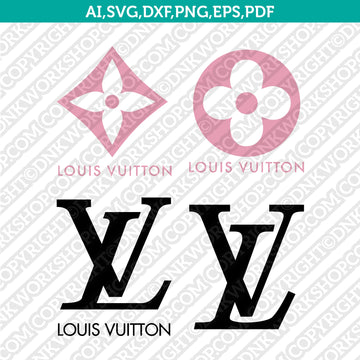
The Louis Vuitton Logo SVG Cut File offered by DNKWorkshop is a flexible, high-resolution digital design tailored for crafters who use Cricut and Silhouette machines. It provides a clean, scalable vector of the iconic LV logo in formats such as SVG, DXF, EPS, PDF, PNG, and AI. You can resize or recolor the design easily and use it in personal or commercial projects.
Why This Matters
When working on DIY projects, having a high-quality logo file is a game-changer. Rather than trying to trace or recreate a complex brand mark from scratch, this SVG cut file gives you a crisp, professional result. It saves time and ensures that your design remains true to the original Louis Vuitton aesthetic, even at different sizes. Whether you're crafting stickers, decals, or apparel, this file adds authenticity and polish to your work.
How It Works
After purchasing from DNKWorkshop, you’ll receive a downloadable ZIP file containing multiple formats: SVG, DXF, EPS, PDF, high-resolution PNG (300 dpi), and AI. These formats are compatible with a variety of design tools and cutting machines. For instance, Cricut users can import the SVG into Design Space, while Silhouette users may prefer the DXF if they’re on the basic edition. :contentReference[oaicite:1]{index=1} Once you’ve unzipped the folder, you can open the file in your software, adjust the size or color, and send it to your cutting machine. The digital nature of this product means you never have to wait for shipping — it’s ready to go as soon as you check out.
Who Will Love It
Designers, crafters, and small business owners who love luxury branding will find this SVG file especially appealing. If you create custom products like T-shirts, mugs, or vinyl decals, this logo gives you a refined, recognizable touch. It also suits hobbyists who want to incorporate high-end fashion logos into their home decor, papercrafts, or gifts. For makers aiming to add a premium feel without compromising on precision, this cut file hits the mark.
Tips for the Best Results
To make the most of this file, choose vector formats when possible — SVG or EPS will preserve sharpness even when scaled. If you're using Cricut Design Space, upload the SVG and make sure to ungroup layers if you want to recolor elements. For Silhouette Studio users with the basic edition, importing the DXF file ensures compatibility. Use a fine blade on your cutting machine and opt for medium or high cut pressure for detailed lines. If you're applying the design to vinyl, use transfer tape for a clean finish and weed carefully to preserve the logo details.
Final Thoughts
The Louis Vuitton logo SVG cut file from DNKWorkshop is more than just a design — it’s a versatile tool for elevating your creative projects. With its range of file formats, ease of use, and scaling flexibility, you can bring a touch of luxury branding into everything from apparel to home decor. Whether you’re crafting for fun or building products for sale, this SVG makes the process smoother and more professional.
Get the Louis Vuitton SVG Cut File
Keywords: Louis Vuitton SVG, LV logo cut file, Cricut SVG, Silhouette Cameo DXF, luxury brand clipart, digital download SVG, LV EPS