

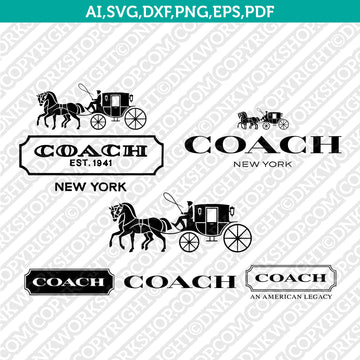
The Coach Logo SVG Cut File from DNKWorkshop brings a sleek, luxury-brand design into the hands of crafters who use cutting machines like Cricut and Silhouette. This digital asset includes formats such as SVG, DXF, EPS, PDF, 300 dpi PNG, and AI, empowering users to scale, recolor, and integrate the iconic Coach emblem with ease. As an instant download, it's ready to use right after purchase, allowing you to jump into your creative projects without delay. :contentReference[oaicite:0]{index=0}
Why This Matters
In crafting, the subtle use of a recognizable brand emblem like Coach elevates a design from simple to sophisticated. Rather than struggling with low-resolution images or rasterized graphics, this SVG provides smooth, clean lines that maintain clarity no matter how large or small you scale it. That fidelity gives your work a polished, professional feel and ensures your custom creations reflect the elegance of the original brand.
How It Works
Once you complete your purchase on DNKWorkshop, you’ll receive a ZIP file containing multiple formats including SVG, DXF, EPS, PDF, transparent PNG, and AI. For Cricut users, the SVG format is ideal, allowing you to upload directly into Design Space while preserving the structure of the design. Silhouette users will find the DXF useful for compatibility, especially in the Basic Edition, while more advanced versions of the software support SVG. After unzipping, simply import the file into your software, adjust it to fit your design space, and prepare to cut.
Who Will Love It
This SVG cut file is perfect for makers who appreciate minimalist luxury and wish to bring that aesthetic into their DIY projects. It’s particularly appealing for small business owners creating customized merchandise—such as vinyl decals, fashion items, or accessories—who want to infuse their creations with a refined, brand-inspired touch. Hobbyists who enjoy blending high-end branding with everyday craft will also find this asset deeply useful and inspiring.
Tips for the Best Results
To retain sharpness and accuracy, work with the vector formats like SVG or EPS during design. In Cricut, upload the SVG and ungroup layers if you plan to modify colors or separate elements. For Silhouette Studio users on the Basic Edition, import the DXF file to ensure compatibility; in more advanced editions, SVG works smoothly. Use a fine blade in your cutting machine, and set your cut pressure to medium or high to preserve intricate contours. When applying to vinyl, use transfer tape to maintain precise edges and weed carefully to retain the design’s refined details.
Final Thoughts
The Coach Logo SVG Cut File from DNKWorkshop combines elegance, precision, and flexibility in one digital download. With its range of formats and instant access, it’s a smart choice for creators who want to bring a luxury-brand feel to their work. Whether you're crafting for personal pleasure or building a line of custom products, this SVG makes it easy to blend style with skill.
Keywords: Coach SVG logo, Coach cut file, Cricut Coach design, Silhouette Coach DXF, luxury brand SVG, digital download SVG, Coach EPS