

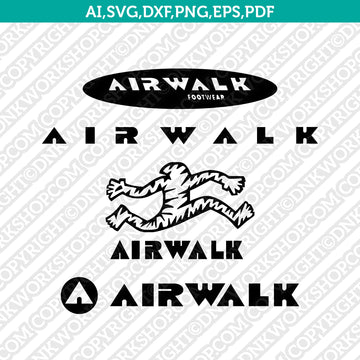
The Air Walk Logo SVG Silhouette/Cameo/Cricut Cut File from DNKWorkshop provides a sleek, high-quality base for anyone looking to customize merchandise or experiment with branded-inspired graphic design. This digital download comes in multiple formats—SVG, DXF, EPS, PDF, transparent PNG (300 dpi), and Ai—allowing you to scale, recolor, and adapt the logo to fit a wide range of creative projects. Whether you're customizing apparel, creating stickers, designing decals, or working on print-ready graphics, this Air Walk logo file offers the flexibility and clarity you need to bring your ideas to life.
Why This Matters
Using a vector logo rather than a raster image ensures exceptional clarity regardless of the size or medium you choose. Raster graphics often lose definition when scaled up, leading to pixelation or blurred edges. The Air Walk SVG cut file keeps every curve and line crisp—from small decals to large posters. For creators who want polished, professional-looking results with minimal effort, this kind of quality makes a significant difference.
How It Works
Once you purchase the Air Walk file, you'll receive a ZIP package containing all supported formats. Extract the contents and import the version that matches your design tool: SVG for vector editing or Cricut Design Space, DXF for basic versions of Silhouette Studio, EPS or Ai for advanced vector editors, or transparent PNG for print-ready projects. Then you can resize, recolor, or otherwise adjust the design before sending it off to a vinyl cutter, heat press, printer, or another output method. This process gives you full control over the final look, while maintaining quality and flexibility.
Who Will Love It
This SVG cut file is perfect for DIY enthusiasts, creative hobbyists, and small business owners looking to produce custom gear. If you enjoy making personalized t-shirts, hoodies, tote bags, mugs, stickers, decals, or custom prints — or run a shop offering unique merchandise — the Air Walk logo SVG gives you a ready-to-use asset. It's also beginner-friendly, since the provided formats work with a variety of tools and skill levels, while experienced designers will appreciate the scalability and versatility the vector file offers.
Tips for the Best Results
Whenever possible, use a vector format (SVG, DXF, or EPS) for cutting or large-scale printing to preserve quality. If you're working with vinyl or heat-transfer materials, make sure your machine settings (blade depth, pressure, material type) are correctly configured. If you choose to use the transparent PNG for printed items or mock-ups, keep the 300 dpi resolution to ensure crisp output. Always unzip the downloaded file before importing — skipping this step can lead to missing elements or import errors. Finally, if you plan to recolor or customize the design, use vector-capable software to maintain clean lines and proper scaling.
Final Thoughts
The Air Walk Logo SVG Cut File from DNKWorkshop is a flexible, high-quality tool that turns a recognizable brand logo into a versatile asset for creative projects, custom merchandise, or personal designs. Its multiple compatible formats, ease of use, and scalable vector quality make it a great addition to any crafter’s or small business’s toolkit. Whether you're producing decals, apparel, or prints, this SVG file helps you achieve clean, professional-looking results with minimal hassle.
Get the Air Walk Logo SVG Cut File
Air Walk logo SVG, Cricut cut file, Silhouette Cameo vector, digital download cut file, PNG EPS DXF logo, custom merchandise design, DIY apparel graphics, vinyl decal SVG, printable logo vector